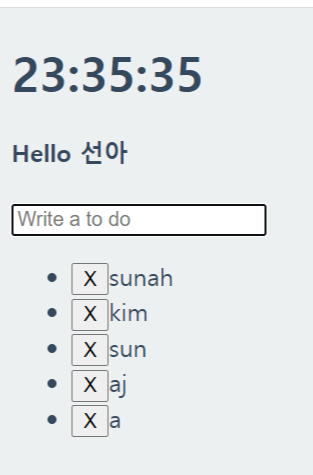
vanila.js
js에서 리스트저장
FnMask
2020. 12. 2. 23:36
html
<!DOCTYPE html>
<html lang="en">
<head>
    <meta charset="UTF-8">
    <meta name="viewport" content="width=device-width, initial-scale=1.0">
    <title>Document</title>
    <link rel="stylesheet" href="index.css"/>
</head>
<body>
    <div class="js-clock">
        <h1>00:00:00</h1>
    </div>
    <form class="js-form form">
        <input type="text" placeholder="What is your name"/>
    </form>
    <h4 class="js-greetings greetings"></h4>
    <form class="js-toDoForm">
        <input type="text" placeholder="Write a to do"/>
    </form>
    <ul class="js-toDoList">
    </ul>
    <script src="clock.js"></script>
    <script src="gretting.js"></script>
    <script src="todo.js"></script>
</body>
</html>
index.css
body{
    background-color: #ecf0f1;
}

.btn{
    cursor: pointer;
}

body{
    color:#34495e;
}

.clicked{
    color: #7f8c8d;
}

.form,
.greetings{
    display: none;
}

.showing{
    display: block;
}
todo.js
const toDoForm=document.querySelector(".js-toDoForm"),
toDoInput=toDoForm.querySelector("input"),
toDoList=document.querySelector(".js-toDoList");

const TODOS_LS="toDos";//상수를 만들어서
const toDos=[];

function saveToDos(){
    localStorage.setItem(TODOS_LS,toDos);
}

function paintToDo(text){
    const li=document.createElement("li");
    const delBtn=document.createElement("button");
    const span=document.createElement("span");
    const newId=toDos.length +1
    delBtn.innerHTML="X";
    span.innerText=text
    li.appendChild(delBtn);
    li.appendChild(span);
    li.id=newId;
    toDoList.appendChild(li);
    const toDoObj = {
        text:text,
        id: newId
    };
    toDos.push(toDoObj);
    saveToDos()
}

function handelSubmit(event){
    event.preventDefault();
    const currentValue=toDoInput.value;
    paintToDo(currentValue);
    toDoInput.value="";
}

function loadToDos(){
    const loadedToDos=localStorage.getItem(TODOS_LS); //넣어줄꺼야
    if(loadedToDos !== null){

    }
}

function init(){
    loadToDos();
    toDoForm.addEventListener("submit",handelSubmit)
}

init();